CCleaner
- 2.10K
- 4.2
- Installs
- 570.00M
- Version
- Varies with device

Screenshots

Introduction: Why CCleaner Remains a Top Choice for System Optimization
In the crowded market of mobile optimization apps, CCleaner stands out as a reliable and comprehensive tool for keeping your Android device running smoothly. Developed by Piriform, a company renowned for its PC cleanup software, this app brings the same prowess to mobile platforms. With over 100 million downloads on Google Play, CCleaner has proven its ability to declutter storage, boost performance, and protect privacy. Whether you're a casual user seeking a quicker phone or a power user aiming for peak efficiency, CCleaner offers a balanced suite of features that address common issues like junk files, battery drain, and app management.
Effortless Storage Cleanup and Performance Boost
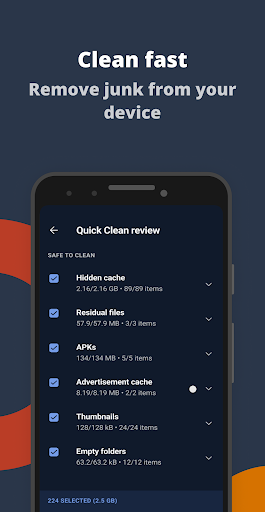
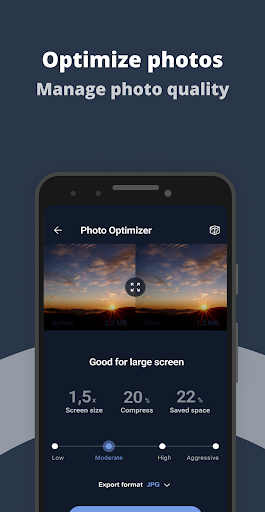
One of CCleaner’s standout features is its smart junk scanning capability. Unlike many competitors that overwhelm users with vague or excessive file lists, CCleaner intelligently identifies recyclable data such as cache files, residual files from uninstalled apps, and obsolete download logs. The app provides a clear breakdown of removable data, allowing users to decide what to keep or delete with confidence. This not only frees up valuable storage space but also reduces the cumulative footprint of older apps, which can corrupt or slow down your device. Additionally, the performance booster module optimizes RAM usage by killing background processes without risking system stability, resulting in a noticeable speed improvement for navigation and multitasking.
Advanced Privacy Protection and File Manager
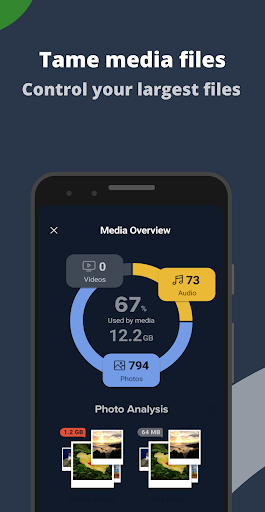
Privacy is a growing concern in the digital age, and CCleaner addresses this head-on. The app includes a dedicated privacy scrubbing tool that clears sensitive data like browsing history, call logs, SMS caches, and clipboard contents. This is particularly useful for shared devices or frequent online transactions. Moreover, CCleaner’s file manager goes beyond basic cleanup: it allows users to sort and manage files by size, type, or location, making it easier to delete large videos or duplicate media. A unique application locking feature can be activated to secure apps with a PIN, adding an extra layer of defense against unauthorized access.
Battery Saver and App Manager Enhancements
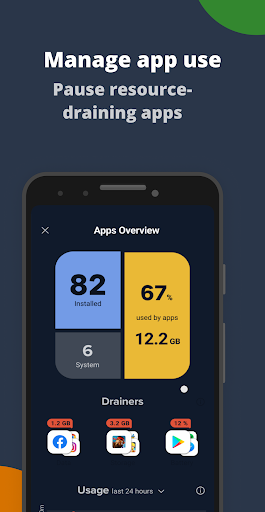
Battery life is a sore point for many smartphone users, and CCleaner provides a dedicated battery saver mode. This tool identifies energy-intensive apps and processes, offering a one-tap solution to disable or optimize them. Unlike some battery apps that overpromise but underdeliver, CCleaner works by reducing unnecessary background activities without crippling essential functions. The app manager complements this by listing all installed apps with details on version, permissions, and resource usage. Users can uninstall, disable, or backup apps directly from the interface, making it a convenient hub for app lifecycle management.
Competitive Edge: User-Friendly Interface and Customization Options
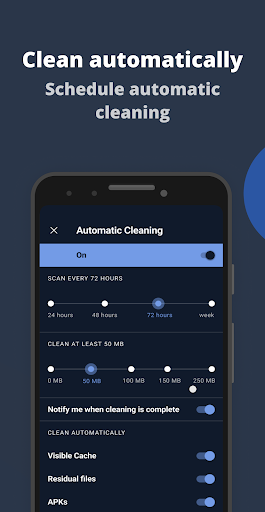
What truly sets CCleaner apart from rivals like Clean Master or SD Maid is its minimalist and intuitive design. The interface avoids cluttered and intrusive ads, which plague many free optimization apps. Instead, users are presented with straightforward options like "Clean," "Battery," and "Privacy," accompanied by real-time progress bars and metrics. For those who prefer control, manual cleaning options are available, allowing fine-tuning of what directories to target. Furthermore, the app supports automatic scheduling for routine maintenance, ensuring optimal performance without manual intervention.
Potential Drawbacks and Value Proposition
Despite its many strengths, CCleaner is not without minor drawbacks. The free version includes occasional prompts to upgrade to the premium tier for advanced features like real-time monitoring and dedicated support, which may be mildly intrusive for some users. Additionally, the app’s reliance on root access for deep system optimization is limited to rooted devices, limiting its scope for non-root users. However, for the vast majority of users, the free version provides sufficient functionality to address daily performance and storage issues. Considering its zero-cost availability and robust feature set, CCleaner offers an excellent value proposition compared to paid alternatives.
Conclusion: A Must-Have Tool for Every Android User
In summary, CCleaner for mobile is a polished and efficient application that seamlessly extends its desktop reputation to smartphones. Its ability to declutter storage, enhance speed, protect privacy, and manage battery life makes it a versatile companion for any device. While not perfect, its user-friendly interface and practical functionality outweigh minor limitations. Whether you’re a tech novice or an experienced user, CCleaner is a worthwhile addition to your toolkit, ensuring your phone remains optimized and responsive. For a blend of simplicity and power, few apps match its balance.


