Avast Antivirus
- 1.98K
- 4.8
- Installs
- 290.00M
- Version
- Varies with device

Screenshots


Introduction: Why Avast Antivirus Stands Out in Mobile Security
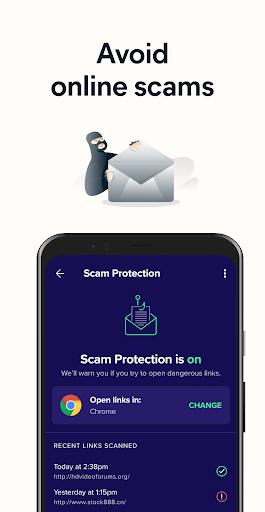
In an era where cyber threats lurk in every corner of the digital world, protecting your smartphone is no longer optional—it’s essential. Avast Antivirus emerges as a formidable contender for mobile security, offering a robust suite of features designed to shield your device without compromising performance. Developed by Avast, a trusted name in cybersecurity for decades, this app has evolved beyond a simple virus scanner into a comprehensive security hub. With over 100 million downloads on the Google Play Store and consistently high ratings, Avast Antivirus leverages cutting-edge technology to detect malware, block phishing attempts, and safeguard personal data. What sets it apart is its balance of powerful protection and user-friendly design, making it accessible for both tech novices and security enthusiasts. From real-time threat detection to privacy-focused tools like a VPN and app locking, Avast promises to be your digital bodyguard. But does it deliver on these promises? Let’s dive into its core features, competitive edge, and overall value to help you decide if this antivirus app deserves a place on your phone.
Core Features: A Shield of Layers
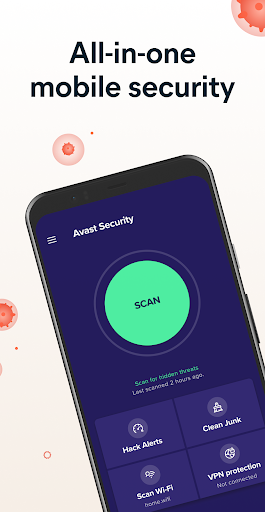
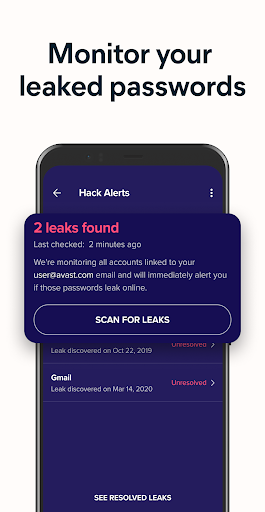
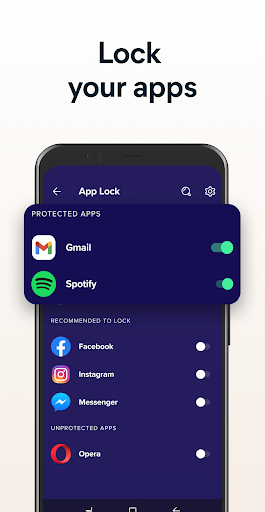
Avast Antivirus provides a multi-layered defense that goes beyond traditional malware scanning. The app’s virus scanner uses advanced heuristics and cloud-based intelligence to identify and neutralize threats in real time, from malicious apps to harmful links. But its true strength lies in the extras: a built-in Wi-Fi security scanner checks network vulnerabilities, alerting you to risks like weak encryption or suspicious routers—a crucial feature for public hotspot users. The Photo Vault offers encrypted storage for private images, protected by PIN or fingerprint, while the App Lock adds an extra layer of security to sensitive applications like banking or messaging apps. For those concerned about privacy, the Privacy Permissions tool reveals hidden data access by installed apps, giving you control over what they see. Additionally, the optional VPN (virtual private network) ensures anonymous browsing and encrypted data transmission, though it requires a subscription. These features collectively create a security ecosystem that adapts to your lifestyle, whether you’re downloading new apps, connecting to free Wi-Fi, or shielding personal files from prying eyes.
Performance and User Experience: Lightweight Yet Powerful
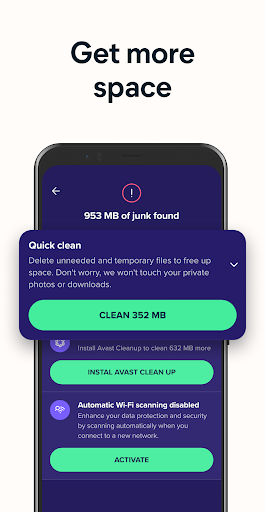
One of the biggest concerns with security apps is their impact on device performance. Avast Antivirus excels here with an optimized design that consumes minimal system resources. Background scans run seamlessly without noticeable slowdowns, and the app includes a Performance Scan feature to identify battery-draining apps and junk files, potentially boosting speed. The interface is intuitive, featuring a clean dashboard that categorizes tools into clear sections like “Protection,” “Privacy,” and “Performance.” Setup is straightforward—after a quick initial scan, you can customize settings to match your preferences. However, some advanced features, such as the VPN and ad blocker, are only accessible through a premium upgrade, which may feel restrictive for free users. Still, the free version offers substantial protection, making it a compelling choice for budget-conscious individuals. The app also provides regular updates to keep pace with evolving threats, ensuring your device remains secure without constant manual intervention.
Competitive Edge: How Avast Stacks Up Against Rivals
When compared to competitors like Norton Mobile Security, Bitdefender, or Kaspersky, Avast Antivirus holds its ground with a distinct advantage: its comprehensive free tier. While rivals often limit free versions to basic scanning, Avast includes the Wi-Fi scanner, app lock, and privacy insights at no cost. This breadth of features gives it an edge in accessibility, especially for users who want robust security without a subscription. Another standout is its Junk Cleaner tool, which doubles as a storage optimizer—a feature rarely seen in pure antivirus apps. However, the constant promotional prompts for premium upgrades can be a minor annoyance, and some users may prefer Kaspersky’s more minimalist approach or Bitdefender’s lower false-positive rates. Nevertheless, Avast’s reputation for transparency (as seen in its clear privacy policy) and its extensive support resources, including a detailed FAQ and live chat, bolster its credibility. For Android users seeking a one-stop security solution with a proven track record, Avast’s blend of free functionality and optional premium features positions it as a top-tier choice.
Final Verdict: Is Avast Antivirus Worth It?
Avast Antivirus is more than just a malware scanner—it’s a holistic security tool that addresses real-world mobile threats with intelligence and ease. Its free version offers exceptional value, covering virus protection, Wi-Fi safety, and privacy oversight, while premium features like VPN unlock enhanced anonymity for those willing to pay. The app’s minimal performance impact and user-friendly interface make it a reliable companion for daily use. That said, if you despise in-app ads or require advanced parental controls, you might explore alternatives like Norton 360 or Trend Micro. For the average user, however, Avast strikes a winning balance between protection, privacy, and price. In a digital landscape where threats are increasingly sophisticated, investing in this app is a proactive step toward peace of mind. Download it today, and you’ll likely find yourself wondering how you managed your mobile security without it.


