Beat Maker Pro
- 2.31K
- 4.7
- Installs
- 800.00M
- Version
- Varies with device

Screenshots










Pros
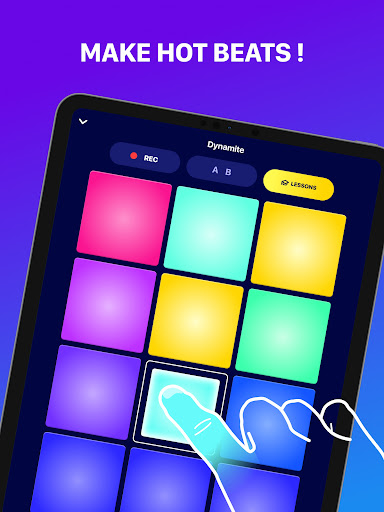
An intuitive, performance-ready pad layout lets producers and DJs create beats instantly. Tap, hold or chain pads to trigger samples, loops and rhythmic patterns with low latency, making live performance and quick sketching effortless. Clear visual feedback and responsive controls speed workflow for beginners and seasoned beatmakers alike.
A rich, expandable sound library and flexible pad customization give you total creative control. Load your own samples, assign layered sounds to pads, build loop chains, and tweak velocity and pitch for nuanced beats. Organized categories and tagging help you find sounds fast, accelerating composition and remixing workflows.
Built-in effects, tempo controls and one-tap recording transform ideas into polished tracks. Apply filters, reverb, delay and stutter in real time while adjusting BPM, quantization and swing, then capture performances for easy export and social sharing. Integrated mixing tools and stereo output ensure tracks sound professional on any platform.
Cons
Compared with professional digital audio workstations, Beat Maker Pro’s feature set can feel limited for experienced producers. It lacks deep multi-track editing, advanced MIDI routing, granular sample manipulation, and some high-end effects, making it harder to build complex arrangements or integrate into a pro studio workflow without external software.
The app’s free tier relies heavily on ads and gated content, pushing many useful sound packs and export features behind in-app purchases or subscriptions. This paywall can quickly become costly for users who want full access, and the constant prompts to upgrade disrupt the creative flow and reduce long-term value for casual creators.
Users on older phones or tablets may experience noticeable latency, audio glitches, and higher CPU usage during intense sessions. These performance issues can cause timing problems when layering beats, shorten battery life, and sometimes lead to crashes. Smooth operation often requires a relatively recent device and updated OS versions.


