Samsung Voice Recorder
- 1.41K
- 4.4
- Installs
- 380.00M
- Version
- Varies with device

Screenshots





Pro
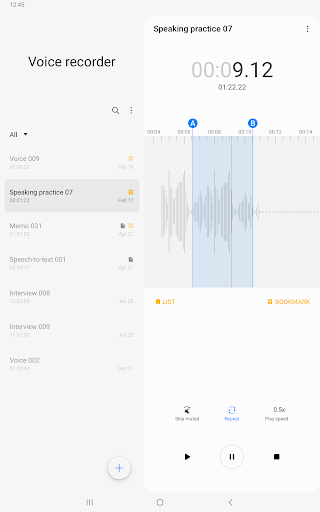
1. Multi-Track Recording: Samsung Voice Recorder allows you to record multiple tracks over time, enabling you to create layered audio sessions or manage separate recordings simultaneously for diverse purposes such as music production or interviews.
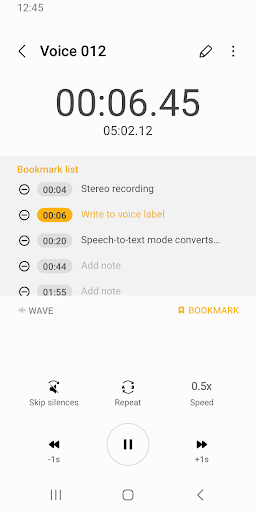
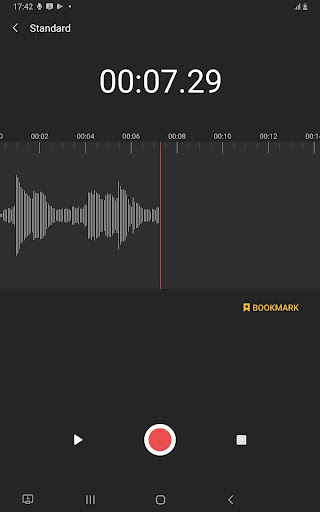
2. Bookmarks: The application offers bookmarking features that let you mark important moments during a recording for quick and easy access later, which is particularly useful for long recording sessions.
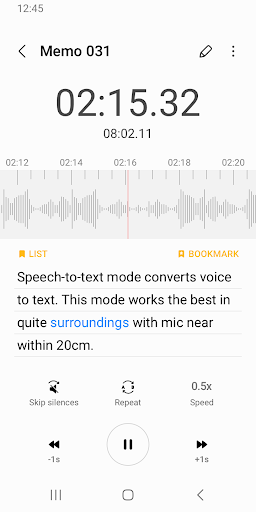
3. Speech-to-text: It includes a convenient speech-to-text feature that transcribes your recorded voice into written text, streamlining the process of documentation or note-taking and making the content more accessible for editing or sharing.
Con
1. Limited Editing Features: Samsung Voice Recorder offers basic editing tools, which might not suffice for users seeking advanced audio editing capabilities for professional or intricate editing tasks.
2. Compatibility and Availability: The application is primarily designed for Samsung devices, which limits its accessibility for users with phones from other manufacturers or operating systems.
3. No Transcription Service: Unlike some other voice recording apps, Samsung Voice Recorder does not include a built-in transcription feature, which can be a drawback for those who require immediate text versions of their recordings.


