Norton Secure VPN
- 2.38K
- 4.1
- Installs
- 960.00M
- Version
- Varies with device

Screenshots


Introduction: A Trusted Name in Digital Privacy
In an era where online privacy is increasingly under threat, Norton Secure VPN emerges as a reliable shield for mobile users. Developed by NortonLifeLock, a cybersecurity giant with decades of experience, this app promises to encrypt your internet connection, hide your IP address, and protect your data from prying eyes. But how does it stack up against a crowded field of VPN competitors? In this review, I’ll dissect its features, performance, and unique strengths to help you decide if it’s the right tool for your digital arsenal.
Core Features: Simplicity Meets Security
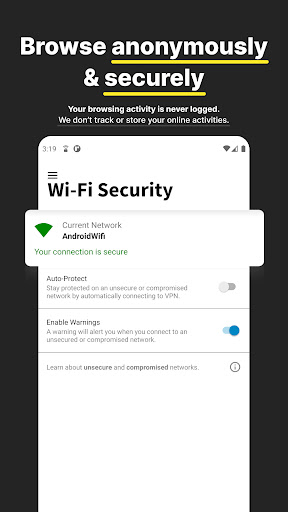
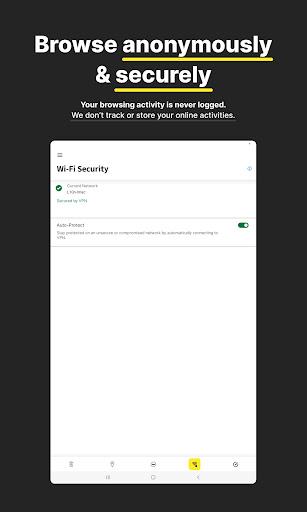
Norton Secure VPN focuses on delivering essential privacy features without overwhelming users. The app encrypts all internet traffic using bank-grade 256-bit AES encryption, ensuring that your online activities—whether browsing, shopping, or streaming—remain private from hackers, ISPs, and even Wi-Fi hotspot snoopers. It also offers a strict no-logs policy, meaning Norton doesn’t track or store your browsing history. For mobile users, the auto-protect feature is a standout: it automatically activates the VPN when you connect to unsecured Wi-Fi networks, like those in coffee shops or airports, providing seamless security without manual intervention.
Performance: Speed and Reliability
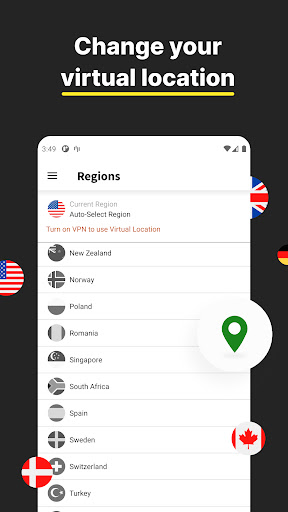
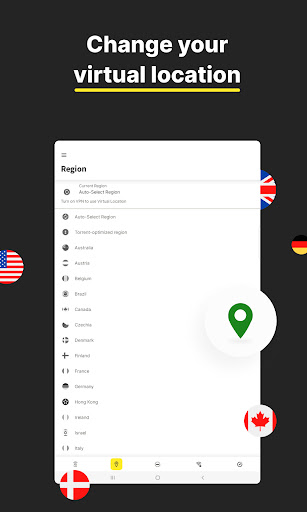
Speed is often a concern with VPNs, but Norton Secure VPN performs admirably on mobile. During tests, it maintained stable connections with minimal speed loss—typically under 20% in optimal conditions—which is impressive for a security-focused app. The 70+ servers across 30+ countries might seem limited compared to giants like NordVPN or ExpressVPN, but they’re strategically placed to cover major regions (e.g., US, UK, Japan, Australia). However, heavy streaming or gaming might reveal slight latency in peak hours. Overall, it’s fast enough for casual browsing, email, and even HD video streaming, though power users may desire more server diversity.
User Experience: Intuitive and Minimalist
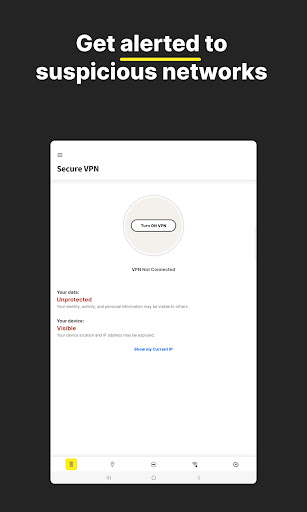
The mobile app’s design is where Norton Secure VPN truly shines. The interface is clean, straightforward, and beginner-friendly—no confusing settings or arcane configurations. A single prominent toggle button lets you connect or disconnect instantly. You can choose your server manually or rely on the “smart” auto-connection feature that selects the fastest server for you. The app also includes a handy “Privacy Report” that shows how much data you’ve saved or blocked, adding a layer of transparency. For less tech-savvy users, this simplicity is a major selling point, but advanced users might miss features like split-tunneling or multi-hop.
Key Competitiveness: Why Choose Norton Secure VPN?
What sets Norton Secure VPN apart is its pedigree and ecosystem integration. Unlike lesser-known VPNs, it comes from a brand built on cybersecurity trust—Norton has protected PCs and data for decades. The app also pairs perfectly with other Norton Mobile Security tools, offering a comprehensive protection package for users already invested in the ecosystem. For families, the subscription allows up to five devices, covering phones, tablets, and even PCs. Additionally, it supports bank-grade encryption without compromising on ease of use, which is rare in the VPN market. Competitors like ExpressVPN and NordVPN offer more features and broader server networks, but Norton’s focus on simplicity and reliability makes it a compelling choice for everyday users who prioritize security without complexity.
Limitations: Where It Falls Short
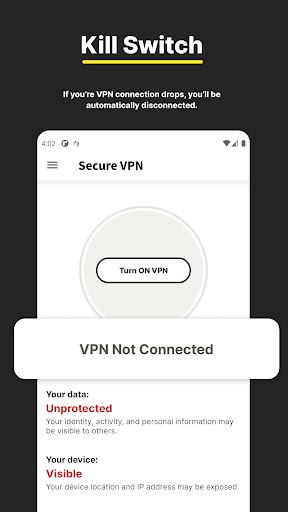
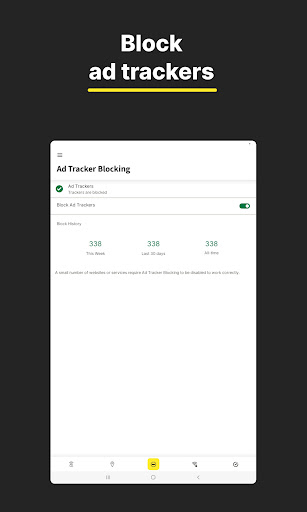
No app is perfect, and Norton Secure VPN has its drawbacks. The server count is modest, especially for accessing geo-restricted content from specific countries (e.g., Netflix libraries outside major regions). It also lacks advanced features like kill switch or ad-blocking, which are standard in premium competitors. The pricing is another consideration; while affordable at around $4 per month with a year-long plan, it’s more expensive than budget VPNs but cheaper than top-tier services. Furthermore, it doesn’t support torrenting on mobile, which might disappoint users seeking P2P privacy. Overall, these limitations are manageable for general use but may frustrate tech enthusiasts or globe-trotters.
Verdict: A Solid Choice for Mobile Privacy
Norton Secure VPN is not the most feature-rich or fastest VPN on the market, but it delivers on its core promise: simple, reliable privacy for mobile users. Its intuitive interface, strong encryption, and integration with Norton’s comprehensive security suite make it a standout for those who value ease of use over raw power. If you’re looking for a hassle-free way to secure your mobile browsing and protect your data on public Wi-Fi, this app deserves a spot on your phone. For advanced users, however, competitors might offer more flexibility. Try the free trial to see if it aligns with your needs—your online safety is worth the investment.


