Skype
- 2.22K
- 4.3
- Installs
- 870.00M
- Version
- Varies with device

Screenshots








Pros
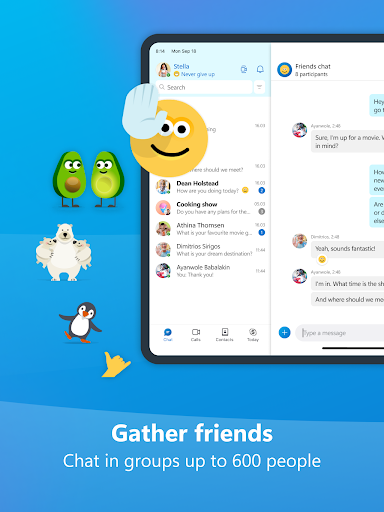
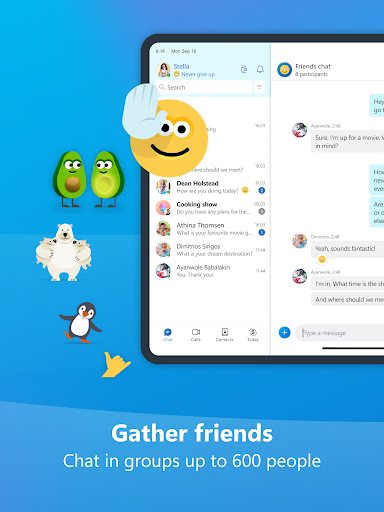
Skype delivers seamless cross-platform communication across Windows, macOS, iOS, Android and web, letting users instantly message, voice call or start HD video chats. Contact sync and Skype-to-Skype calling make staying connected effortless, whether one-on-one or in groups, helping individuals and teams maintain real-time collaboration without compatibility headaches.
Skype’s high-quality video and screen-sharing tools support HD calls, meeting recording, live subtitles and easy file transfer, making remote presentations and tutoring straightforward. Reliable audio and adaptive bandwidth optimization ensure smoother sessions even on variable connections, improving productivity for business meetings, interviews, and virtual classrooms.
Skype offers affordable international calling to mobile and landlines, optional local numbers and pay-as-you-go plans that reduce travel and telecom costs. End-to-end encryption on private communications, presence indicators and integrated contact management keep conversations secure and organized, ideal for travelers, freelancers and global teams.
Cons
Skype can suffer from inconsistent call quality and reliability. Users report audio dropouts, video lag, and dropped connections—especially on congested networks, older devices, or during large group conferences. These performance issues can interrupt meetings and make Skype less dependable than other modern conferencing tools for high-quality, real-time communication.
The Skype app can feel bloated and resource-intensive, with slow startup times and noticeable CPU and memory use on some systems. Its interface has accumulated features and promotional content that can clutter the user experience, making navigation confusing for new users and less streamlined than sleeker, purpose-built messaging or video apps.
Privacy and security remain concerns for some users: Skype does not enable end-to-end encryption by default for all calls and chats, and accounts are tied to Microsoft services that collect metadata. Occasional spam calls and limited transparency around data handling can undermine trust for users seeking stronger, privacy-focused communication alternatives.
Latest Update: Skype was retired on May 5th, 2025
Microsoft retired Skype on May 5th, 2025, and the Skype apps and sign‑in functionality were shut down from that date. Prior to the retirement, Microsoft provided guidance and tools to export chat history, files, voicemails and contact lists and recommended that users migrate to Microsoft Teams for messaging and calling needs. Users who had active subscriptions, Skype Credit balances or purchases were advised to check Microsoft’s support channels for refund or transfer options and to contact Microsoft Support if any data or billing issues remained unresolved after the shutdown.


