Slack
- 1.84K
- 4.1
- Installs
- 380.00M
- Version
- Varies with device

Screenshots


Introduction: More Than Just a Messaging App
In the bustling digital landscape of workplace communication, Slack has emerged not merely as an app, but as a central nervous system for teams. It transcends the basic functionality of instant messaging, offering a structured, searchable, and integrative platform designed to replace email, streamline workflows, and foster collaboration. Since its launch, Slack has redefined how teams interact, turning chaotic streams of information into organized, actionable conversations. This review delves into what makes Slack a powerhouse for modern teams.
Organized Communication: Channels and Threads
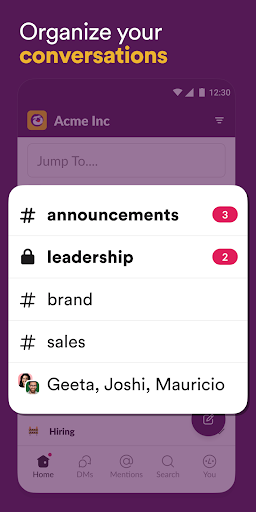
The core of Slack's brilliance lies in its channel-based organization. Instead of one overwhelming group chat, work is divided into dedicated #channels for projects, teams, or topics (e.g., #marketing-campaign, #product-feedback). This creates immediate context and keeps conversations focused. Complementing this are threads, which allow side discussions to branch off from a main message without cluttering the primary channel. This structure is transformative, making information retrieval intuitive and reducing notification fatigue. The powerful, built-in search function can find messages, files, and even snippets of text within shared documents, making it a knowledge repository for the entire organization.
Powerful Integrations: Your Work Hub
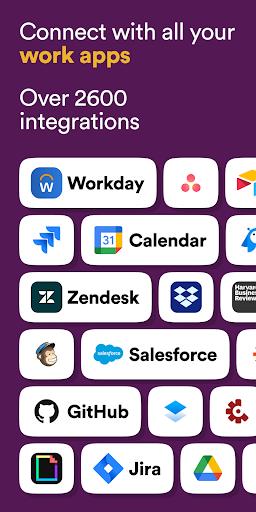
Slack’s true competitive edge is its extensive ecosystem of integrations. With over 2,600 apps in its directory—including Google Drive, Salesforce, Asana, Zoom, and GitHub—Slack becomes a command center. You can receive project updates, approve requests, start video calls, and even monitor analytics without leaving the app. This seamless connectivity eliminates constant tab-switching, centralizes notifications, and automates routine tasks through customizable workflows, significantly boosting productivity and keeping the team in sync.
User Experience and Collaboration Features
Slack offers a clean, customizable interface. You can theme your workspace, set notification preferences per channel, and use keyboard shortcuts for efficiency. Collaboration is enhanced with features like file sharing (with previews for images and documents), screen sharing in huddles (lightweight audio calls), and collaborative editing through linked cloud files. The recently added Canvas feature provides a persistent space for embedding links, text, and files, acting as a living document alongside conversations.
Considerations and Potential Drawbacks
Despite its strengths, Slack has considerations. The free plan has limitations on message history and integrations, which can push growing teams toward paid tiers. For some, the constant flow of messages can feel intrusive, demanding disciplined notification management and team etiquette to prevent "always-on" pressure. Furthermore, in very large organizations, the proliferation of channels can become overwhelming without strict governance. It is a tool that thrives on agreed-upon usage norms.
Conclusion: The Digital HQ for Dynamic Teams
Slack is far more than a chat app; it is a robust platform for organized collaboration. Its genius is in structuring the unstructured, turning communication into a searchable asset and connecting the tools teams already use. While it requires mindful adoption to avoid noise, its benefits in transparency, productivity, and connectivity are profound. For teams seeking to reduce email clutter, accelerate projects, and create a cohesive digital workspace, Slack remains an industry leader and an indispensable tool for the future of work.


