VLC for Android
- 2.04K
- 4.3
- Installs
- 370.00M
- Version
- Varies with device

Screenshots





Introduction to VLC for Android
VLC for Android is the mobile version of the popular VLC media player, known for its versatility and wide range of supported formats. Developed by VideoLAN, this app brings the same powerful features of the desktop version to your Android device, making it a must-have for anyone who consumes a lot of media on their phone or tablet.
Key Features
One of the standout features of VLC for Android is its ability to play almost any media format without the need for additional codecs. Whether it's MP4, MKV, AVI, or even less common formats, VLC handles them all with ease. The app also supports subtitles, multi-track audio, and even playback of damaged or incomplete files.
Another notable feature is its network streaming capabilities. You can stream media from your local network, or even from the internet, directly within the app. This makes it incredibly convenient for users who have media stored on a home server or who want to watch online videos without relying on a browser.
User Interface and Experience
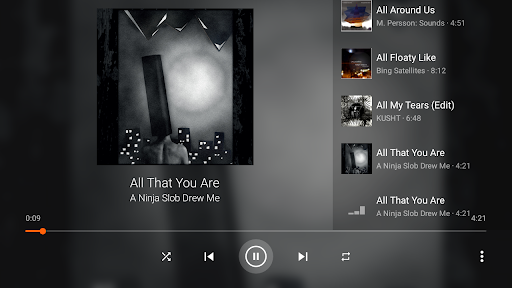
The user interface of VLC for Android is clean and intuitive, making it easy for both new and experienced users to navigate. The app offers a simple media library view where you can browse your local files, as well as a more advanced view that allows you to organize your media by folders, playlists, or network streams.
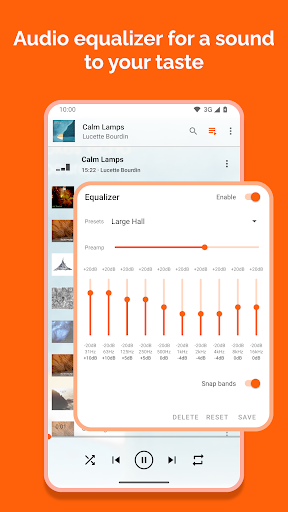
Customization is another strong point. You can adjust playback speed, apply audio and video filters, and even tweak the equalizer to get the perfect sound. The app also supports gestures, allowing you to control playback with simple swipes and taps.
Performance and Stability
VLC for Android is known for its robust performance. It runs smoothly on a wide range of devices, from budget smartphones to high-end tablets. The app is also highly stable, with minimal crashes or bugs, even when handling large or complex media files.
Battery consumption is another area where VLC shines. The app is optimized to use as little power as possible, which is crucial for mobile users who want to enjoy their media without draining their battery too quickly.
Additional Features
VLC for Android also includes some unique features that set it apart from other media players. For example, it has a built-in audio and video downloader, allowing you to save media files directly to your device. The app also supports Chromecast, making it easy to stream your media to a larger screen.
For those who are privacy-conscious, VLC for Android does not require any special permissions to function, and it does not collect or share your data. This is a refreshing change from many other apps that demand access to your contacts, location, and other personal information.
Conclusion
VLC for Android is a powerful, versatile, and user-friendly media player that stands out in a crowded market. Its ability to handle a wide range of formats, combined with its robust performance and additional features, makes it an excellent choice for anyone looking for a reliable media player on their Android device. Whether you're a casual viewer or a media enthusiast, VLC for Android is definitely worth a try.


