
Snipaste
for Windows- Name Snipaste
- Category Productivity
- Downloads 15,000,000+
- Developer Le Liu
- Available on PC
- OS Windows 10 version 15063.0 or higher
- Architecture x64
- Keyboard Not specified
- Mouse Not specified
Pros
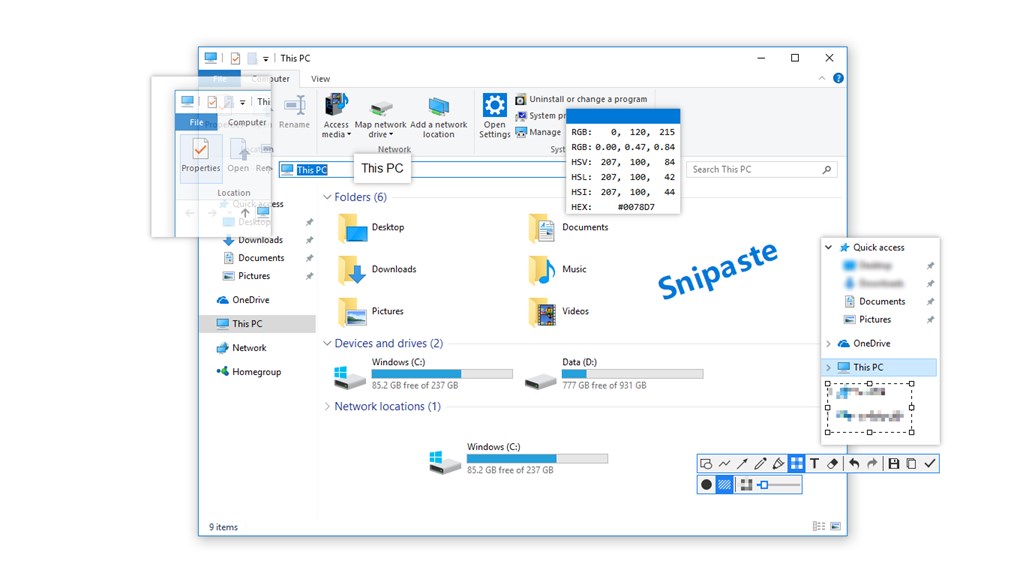
1. Advanced Snipping Tool: Snipaste allows for flexible screenshot capture, including capturing full screen or specific regions with pixel-level precision, and the ability to quickly annotate or highlight important parts before saving or sharing.
2. Intuitive Paste Function: Snipaste excels in its paste feature, enabling users to convert screenshots into floating windows on the desktop for easy reference, comparison, and convenient multitasking.
3. Image Editing and Customization: Snipaste provides a range of image editing options such as adding annotations, arrows, and text to screenshots, along with support for customizing the color, size, and outline of these elements for personalized and professional-looking images.
Cons
1. Limited Platform Availability: Snipaste is primarily designed for Windows and macOS, which means it lacks support for Linux and other operating systems, limiting its accessibility for users across different platforms.
2. No Auto-Save Feature: Snipaste does not automatically save screenshots, which can lead to data loss if the user forgets to manually save them before closing the application or switching tasks.
3. Fewer Annotation Tools: Compared to some other screenshot tools, Snipaste offers a relatively modest set of annotation features, which might not be sufficient for users who need advanced image editing or markup capabilities for their work.


